

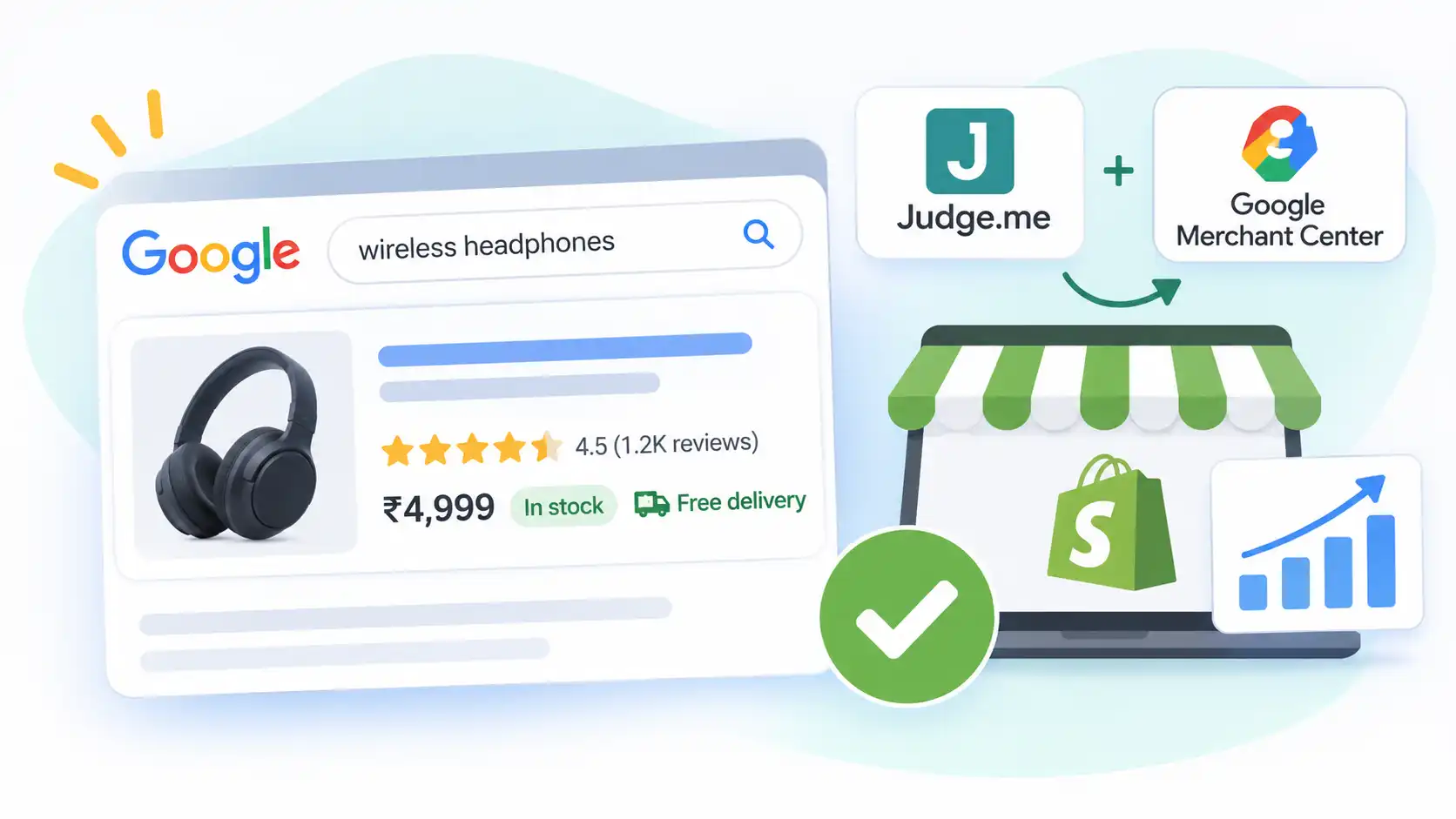
When customers search for products on Google, some listings stand out with gold star ratings, product prices, availability labels, and even Free Delivery tags. Meanwhile, other listings display only a basic title and description.
These additional details, known as rich results and shopping annotations , can make your products more noticeable, build customer trust, and potentially improve click-through rates.
The good news? If you run a Shopify store, you can improve your chances of displaying these details using tools such as Judge.me and Google Merchant Center .
However, each tool serves a different purpose. In this guide, we’ll explain how these integrations work, what you need to configure, and how to optimize your Shopify store for better visibility on Google.
1. Understanding How Google Displays Additional Product Information
Before configuring anything, it’s important to understand where these additional details come from.
Google collects product information from multiple sources:
- Product Structured Data (Schema Markup): Provides information such as product price, availability, and aggregate ratings directly from your website.
- Google Merchant Center: Supplies product feed information, shipping details, return policies, and promotional offers.
- Google Review Programs: Provide product ratings and store ratings through Google’s supported review systems.
Each source contributes different information to your search listings. Configuring all three correctly can improve your chances of displaying more detailed product results.
2. How Judge.me Helps Display Product Star Ratings
Customer reviews are one of the most effective ways to build trust in an online store.
Judge.me is a Shopify review application that helps collect customer feedback and communicate product review information to Google.
With its Awesome plan, Judge.me offers features such as:
- Adding product review widgets and star ratings to product pages.
- Providing structured review data that Google can understand.
- Sending eligible product reviews to Google Shopping through its Google Reviews feed integration.
Displaying Ratings on Google Shopping
To display product ratings in Google Shopping listings, you need to configure the Judge.me Google Shopping integration.
Here are some important requirements:
- Your products must already be available in Google Merchant Center.
- Your store needs at least 50 eligible product reviews for the Google Shopping review feed.
- Reviews must meet Google’s eligibility requirements.
- Judge.me generally includes genuine reviews collected through its platform. Imported reviews from other platforms are not included in this feed.
After submitting the feed, Google may take approximately 10 days to process it.
Important: Judge.me can help provide product review information, but Google independently decides whether and when ratings appear in search results.
What Judge.me Cannot Do
Judge.me primarily handles product reviews. It does not control:
- Product prices displayed in Google.
- Shipping charges or free delivery labels.
- Store ratings from Google’s store rating program.
For these features, you’ll need Google Merchant Center and other supported Google review programs.
3. How Google Merchant Center Helps Your Shopify Store
Google Merchant Center is an essential tool for businesses that want their products to appear across Google’s shopping ecosystem.
It allows you to submit product information and configure important business details.
Some of its key features include:
Product Feed Management
Your product feed contains information such as:
- Product title and description.
- Product images.
- Regular and discounted prices.
- Product availability.
- Brand and product identifiers.
Google uses this information to understand and display your products.
Shipping and Delivery Information
You can configure shipping settings inside Merchant Center, including:
- Shipping charges.
- Delivery locations.
- Estimated delivery times.
- Free shipping conditions.
If your store offers free shipping and your settings meet Google’s requirements, Google may display a Free Delivery annotation alongside your product listing.
Returns and Refund Policies
Merchant Center also allows you to configure your store’s return policies. Providing accurate information helps Google understand your customer policies and may make relevant return information available to shoppers.
Keep Your Product Feed Updated
One of the most common problems with Merchant Center is inconsistent product information.
For example:
- Shopify product price: ₹3,000
- Merchant Center product price: ₹3,500
Such differences can create product data issues or disapprovals.
Always ensure that your product prices, sale prices, and availability match between Shopify, your website, and Merchant Center.
4. Fixing Missing Product ID Issues in Google Shopping Reviews
You might have hundreds of customer reviews but still not see star ratings in Google Shopping.
One possible reason is that Google cannot correctly match your reviews with the corresponding products.
This can happen when product identifiers are missing or inconsistent.
For example, Merchant Center might display warnings such as:
Missing or invalid product ID
To resolve this issue, follow these steps:
Step 1: Add Brand and SKU Information in Shopify
Open your Shopify admin panel and navigate to Products.
For each product, ensure that you have:
- A valid brand or manufacturer name.
- A unique SKU or part number.
Avoid using the same SKU for multiple unrelated products.
Step 2: Configure Judge.me
Open Judge.me’s Google Shopping integration settings.
Enable the option to send product identifiers, such as the part number, where supported.
Step 3: Match Identifiers in Merchant Center
Verify that the product identifiers submitted through Judge.me match the corresponding information in your Google Merchant Center product feed.
Consistent identifiers help Google associate customer reviews with the correct products.
Once the information is corrected, Google may take several days to process the updated feed. Product ratings can take longer to appear.
5. Understanding Google Store Ratings
Have you ever noticed a Google search result displaying something like:
4.3 ★★★★★ Store Rating
This is different from the product star ratings provided by Judge.me.
Store ratings represent customer experiences with the business as a whole rather than feedback about an individual product.
Google supports two main sources for collecting store reviews:
Google Customer Reviews
Google Customer Reviews is a free program available through Merchant Center.
Here’s how it works:
- Customers complete a purchase from your website.
- They receive an option to participate in a Google Customer Reviews survey on the order confirmation page.
- Google sends them a survey invitation after their expected delivery.
- Customers can submit feedback about their shopping experience.
Over time, eligible feedback can contribute to your store rating.
Approved Third-Party Review Partners
Google also collects store review information from approved third-party review partners.
These platforms collect customer feedback and share eligible review information with Google.
Important: Judge.me product reviews do not automatically count towards Google Store Ratings. These are separate review systems.
Some third-party guides mention approximately 100 reviews and a minimum 3.5-star average as common store rating eligibility benchmarks. However, eligibility depends on Google’s current requirements, country coverage, and review sources. Always check Google’s official documentation before relying on these thresholds.
Google expanded store ratings to India in October 2024, making this feature relevant to Indian e-commerce businesses as well.
A Note About Shopify Checkout
Google Customer Reviews requires an opt-in integration on the order confirmation or post-purchase experience.
Depending on your Shopify checkout configuration, you may need to use an appropriate supported integration or checkout extension to implement it.
If you’re using a third-party checkout provider, check whether it supports Google’s opt-in integration.
6. Displaying Product Prices and Discounted Prices on Google
Product pricing is another important element of Google Shopping listings.
Google can display:
- Regular product prices.
- Discounted prices.
- Original prices with strikethrough formatting.
- Sale price annotations.
To make this possible, your Shopify product page and Merchant Center feed must provide accurate pricing information.
How Sale Price Annotations Work
Suppose your product has the following pricing:
- Original Price: ₹4,000
- Sale Price: ₹2,800
Google may display the original price with a strikethrough alongside the discounted price.
However, Google follows specific eligibility requirements:
- The original and discounted prices must be correctly represented.
- The sale price must be lower than the original price.
- Both prices must be visible on the product page.
- The sale price submitted to Merchant Center must match the website.
- Google may evaluate your pricing history before displaying a sale annotation.
Even when all requirements are satisfied, Google does not guarantee that the discounted price format will always appear.
What About Coupon Codes?
Coupon-based discounts work differently from regular sale prices.
For example, suppose your Shopify store offers an additional 25% discount using a promotional coupon.
The coupon does not automatically change the product’s displayed price in Google’s search results.
Instead, you can configure eligible offers through Google Merchant Center Promotions .
This allows you to communicate special offers to shoppers, subject to Google’s promotion policies and eligibility requirements.
Avoid submitting private, restricted, or members-only coupon codes as publicly available promotions.
7. How to Check Whether Your Shopify Store Is Properly Configured
After setting everything up, you should verify that Google can read your product information correctly.
Here are three useful tools:
1. Google Rich Results Test
Use Google’s Rich Results Test to check whether your product page contains valid structured data.
You can inspect information such as:
- Product name.
- Price.
- Availability.
- Product ratings.
- Aggregate review information.
Tool: https://search.google.com/test/rich-results
2. Google Merchant Center
Open Merchant Center and review your product diagnostics and review-related sections.
Check for warnings involving:
- Missing product identifiers.
- Invalid product data.
- Price mismatches.
- Availability mismatches.
- Review feed errors.
3. Google Search Console
Search Console helps you monitor how Google understands your website.
Check the relevant Shopping and product enhancement reports for structured data errors and warnings.
Tool: https://search.google.com/search-console
Remember: Fixing technical issues does not guarantee immediate changes in Google search results. Google needs time to crawl, process, and evaluate the updated information.
8. Common Mistakes Shopify Store Owners Should Avoid
Even after configuring everything correctly, certain mistakes can prevent additional information from appearing in Google.
Here are some common issues:
- Adding Fake Star Ratings
Never manually insert star ratings into your Shopify theme just to make your listing look attractive. Google expects ratings to represent genuine customer feedback.
- Incorrect Product Pricing
Displaying an inflated original price or submitting different prices to Merchant Center can create eligibility and policy issues.
- Missing Product Identifiers
Without consistent product identifiers, Google may struggle to match review information with your products.
- Expecting All Features to Appear Immediately
Product stars, shipping annotations, store ratings, and sale prices are handled by different Google systems. They have separate eligibility requirements and processing timelines.
- Ignoring Merchant Center Warnings
Regularly check your Merchant Center account. Even small feed errors can affect how Google processes your products.
Frequently Asked Questions (FAQs)
Do I need Google Merchant Center to display product stars in normal Google search results?
Not necessarily. Product stars in organic search results can come from valid product review structured data on your website. Merchant Center is particularly important for Shopping listings, product feeds, and shipping information.
Why do product pages show star ratings but collection pages do not?
Product ratings belong to individual products. A collection page generally does not have its own product rating, so Google does not automatically display the individual product reviews as a collection-level rating.
How many reviews are required for Google Store Ratings?
Some third-party guides mention approximately 100 eligible reviews and a 3.5-star average. However, Google’s requirements can vary depending on the review source and country. Refer to Google’s official documentation for current eligibility details.
How long does it take for Google to display product ratings?
Processing times vary. Judge.me’s Google Shopping review feed may take approximately 10 days to process, while actual rating visibility can take several additional weeks. Google ultimately controls whether these annotations appear.
Can Judge.me display star ratings in Google Shopping?
Yes. Judge.me supports a Google Shopping review feed integration on its eligible plan. However, your products, reviews, and identifiers must meet Google’s requirements.
Can I display Free Delivery in Google search results?
You can configure free shipping in Google Merchant Center. Google may use your shipping information to display a Free Delivery annotation when your products and shipping settings qualify.
Conclusion
Improving how your Shopify products appear on Google is not just about adding customer reviews or submitting a product feed. It requires the right combination of structured data, accurate product information, shipping configuration, and genuine customer feedback.
Here’s a quick breakdown:
| Tool | Primary Purpose |
|---|---|
| Judge.me | Product reviews and star ratings |
| Google Merchant Center | Product feeds, prices, shipping and returns |
| Google Customer Reviews | Store-level customer feedback |
| Google Search Console | Monitoring search performance and structured data |
| Google Rich Results Test | Testing product structured data |
Start by ensuring your Shopify product information is accurate, your Judge.me reviews are properly configured, and your Merchant Center feed contains matching product identifiers.
These improvements can help Google better understand your products and give your listings the opportunity to display richer information.
Ultimately, Google decides which additional details appear and when. There is no guaranteed method to force every annotation into search results, but a properly configured store gives you a much stronger foundation for Google visibility.