
Introduction
E-commerce has changed the way businesses sell and the way customers shop. Today, a business can launch an online store without building an entire e-commerce platform from scratch. One of the platforms that has made this possible is Shopify .
Shopify is an e-commerce platform that enables businesses to create, manage, and operate online stores. It provides tools for product management, payments, order processing, inventory, marketing, analytics, and more.
But Shopify is not only about the store owner.
At the end of the entire process is another important person: the end user .
The end user is the customer who visits an online store, searches for a product, compares options, adds an item to the cart, completes the checkout process, makes a payment, and eventually receives the product.
Therefore, understanding Shopify requires looking at the complete ecosystem:
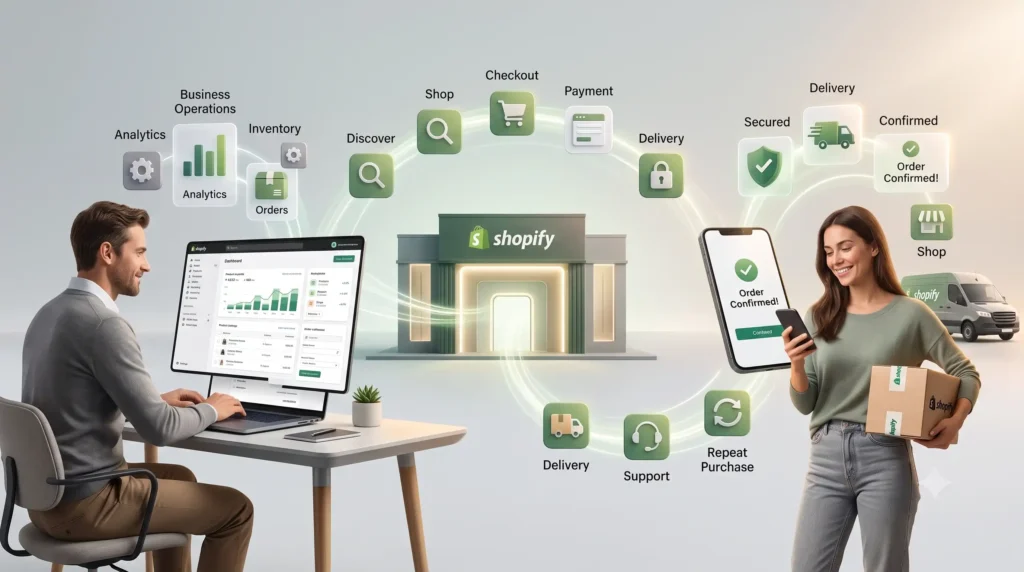
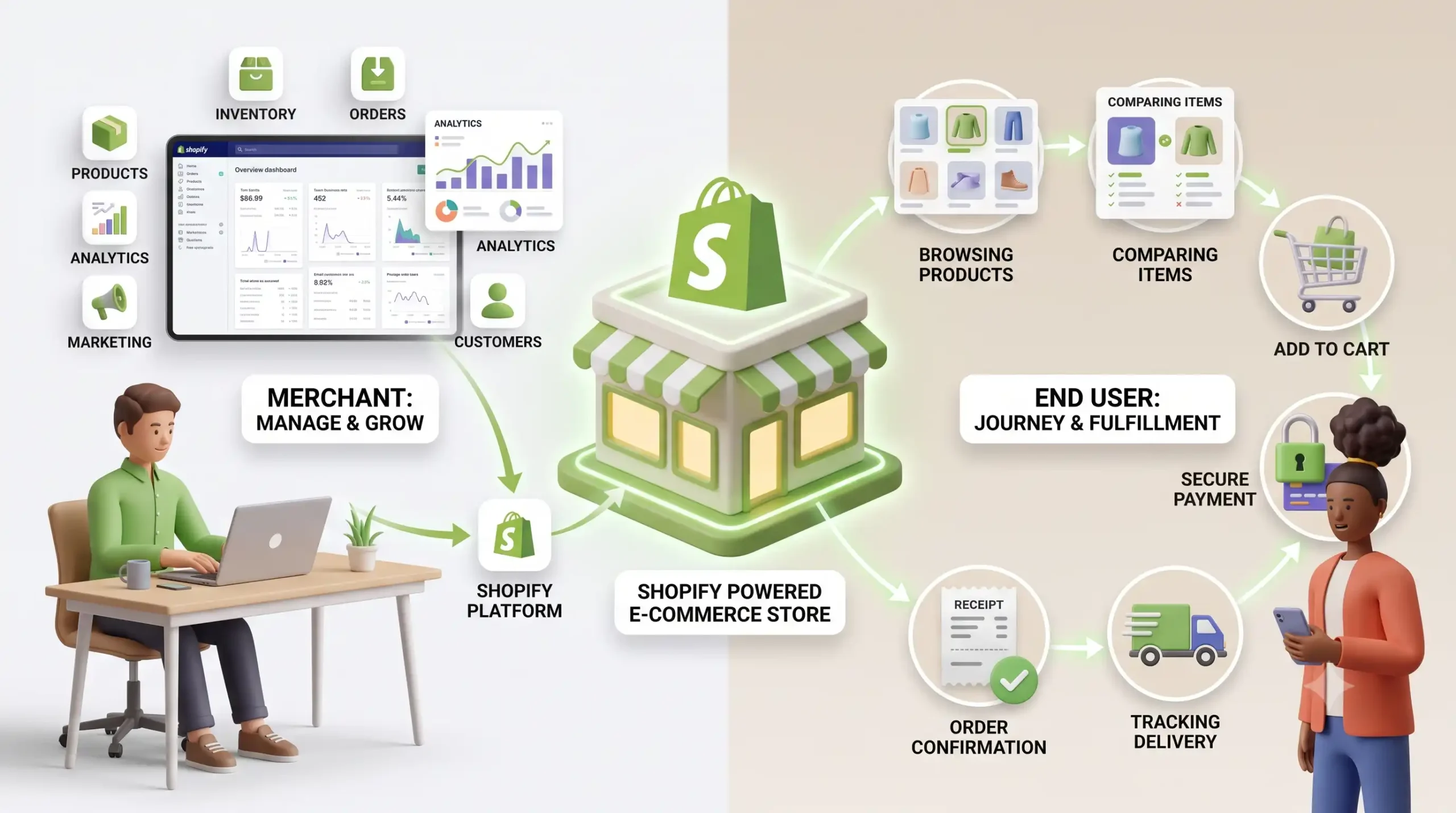
Shopify → Merchant → Online Store → Customer → Purchase → Post-Purchase Experience
This article explores how Shopify works, who uses it, its major features, the developer ecosystem, and what the entire Shopify experience looks like from an end user’s perspective.
1. What Is Shopify?
Shopify is a hosted e-commerce platform that allows businesses and individuals to create online stores and sell products or services over the internet.
Instead of developing a complete e-commerce system independently, merchants can use Shopify’s infrastructure and tools to manage their online business.
A Shopify store can include:
- Product catalogs
- Product pages
- Shopping carts
- Checkout
- Payment processing
- Order management
- Inventory management
- Customer accounts
- Discounts
- Analytics
- Marketing tools
- Shipping and fulfillment integrations
The platform is designed to support businesses ranging from small independent sellers to larger organizations.
2. How Does Shopify Work?
At a high level, Shopify connects several parts of an online shopping system.
A merchant first creates a Shopify store and adds products. They then customize the appearance of the store, configure payments and shipping, and make the store available to customers.
The customer interacts with the storefront through a web browser or mobile device.
A simplified journey looks like this:
Merchant creates store → Products are added → Customer discovers store → Customer browses products → Customer adds product to cart → Customer checks out → Payment is processed → Order is created → Merchant fulfills order → Customer receives product
Shopify handles much of the infrastructure required to make this process possible.
This is one of the reasons businesses choose hosted e-commerce platforms instead of building every component themselves.
3. Who Uses Shopify?
Shopify has several types of users, and understanding them is important.
3.1 Merchants and Store Owners
These are the businesses or individuals selling products or services.
They use Shopify to:
- Add products
- Manage inventory
- Process orders
- Configure payments
- Manage customers
- Run promotions
- Analyze sales
- Manage their storefront
3.2 Developers
Developers customize Shopify stores and build integrations around them.
They may work with:
- Shopify APIs
- Themes
- Liquid
- Webhooks
- Custom applications
- Third-party services
- Storefront integrations
3.3 End Users
The end user is the customer or shopper .
This is the person who ultimately interacts with the storefront and purchases the product.
For example, if a clothing company creates a Shopify store and someone visits that store to purchase a T-shirt, the person purchasing the T-shirt is the end user.
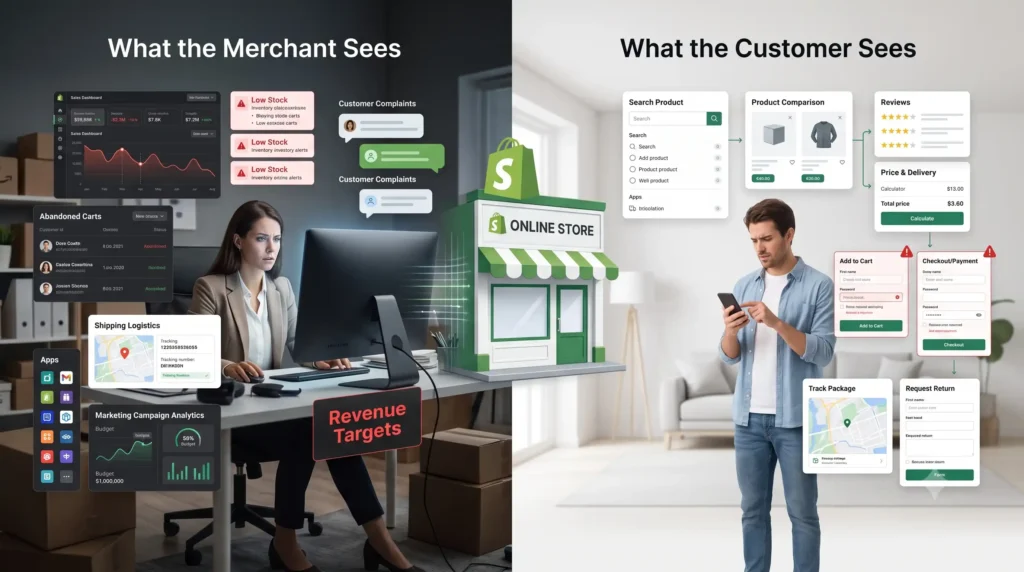
This distinction is important because the merchant and the end user have completely different goals.
The merchant wants to sell efficiently .
The end user wants to find and purchase the right product easily, safely, and conveniently .
4. Key Features of Shopify
Shopify provides a broad collection of tools for running an online business.
Product Management
Merchants can create product listings containing information such as:
- Product names
- Descriptions
- Images
- Prices
- Variants
- Inventory
- Product categories
Inventory Management
Businesses can track product availability and manage inventory across their operations.
Order Management
Shopify helps merchants manage incoming orders, fulfillment, shipping, and order status.
Payment Processing
Customers need a convenient way to pay for their purchases. Shopify stores can support different payment methods depending on the merchant’s location and configuration.
Analytics
Merchants can analyze information such as sales, orders, customers, and other store performance metrics.
Marketing
Shopify stores can be connected with different marketing and promotional tools to help businesses attract and retain customers.
5. Creating a Shopify Store
Creating a Shopify store generally involves several stages.
Step 1: Create the Store
The merchant creates a Shopify account and begins configuring the store.
Step 2: Choose a Theme
The merchant selects and customizes the visual design of the storefront.
Step 3: Add Products
Products are added with descriptions, images, prices, variants, and inventory information.
Step 4: Configure Payments
Available payment methods are configured so customers can pay for their purchases.
Step 5: Configure Shipping
Shipping options, delivery rules, and fulfillment processes are configured.
Step 6: Connect a Domain
The merchant can use a custom domain to give the store its own web address.
Step 7: Launch
Once the store is configured and tested, customers can begin visiting and purchasing products.
6. Shopify Themes and Store Design
A Shopify theme controls much of the visual experience of a store.
This includes elements such as:
- Homepage layout
- Navigation
- Product pages
- Collection pages
- Typography
- Images
- Buttons
- Colors
- Mobile layouts
However, design is not simply about making a website look attractive.
It directly affects the end user’s experience.
A customer should be able to answer basic questions quickly:
What does this store sell?
Where can I find the product I want?
How much does it cost?
When will it arrive?
How can I pay?
Can I return it?
A visually impressive store that makes these questions difficult to answer can still provide a poor user experience.
7. Shopify Apps and Integrations
Shopify’s ecosystem can be extended using applications and integrations.
Businesses can add functionality for areas such as:
- Reviews
- Email marketing
- Customer support
- Analytics
- Inventory
- SEO
- Loyalty programs
- Shipping
- Automation
However, adding more applications does not automatically make a store better.
Too many apps can introduce unnecessary complexity, additional costs, and potentially affect store performance.
The goal should be to use technology where it genuinely improves either business operations or customer experience .
8. Shopify SEO and Marketing
Creating an online store is only the beginning.
Customers need to be able to discover the store.
Search engine optimization can help stores improve their visibility in search engines.
Important areas include:
- Product titles
- Product descriptions
- Page titles
- Meta descriptions
- URLs
- Image optimization
- Internal linking
- Content marketing
- Store performance
Businesses can also use channels such as social media, email marketing, advertising, and promotional campaigns to attract customers.
9. The Shopify Customer Journey
Now we reach one of the most important parts of the Shopify ecosystem: the end user’s journey .
A customer’s interaction with a Shopify store can be represented as:
Discover → Browse → Search → Evaluate → Add to Cart → Checkout → Payment → Confirmation → Delivery → Support → Repeat Purchase
Every stage affects whether the customer completes the purchase and whether they want to return.
Discovery
The customer might discover a store through:
- Social media
- Advertisements
- Recommendations
- Influencers
- Direct visits
Browsing
After entering the store, the customer explores categories, collections, and products.
Good navigation helps customers find what they need without unnecessary effort.
Product Evaluation
The customer examines:
- Images
- Price
- Description
- Reviews
- Variants
- Availability
- Shipping information
The quality and clarity of this information can strongly influence purchasing decisions.
Add to Cart
Once the customer decides to purchase, they add the product to their cart.
The cart should clearly display the selected products, quantities, prices, discounts, and other relevant costs.
Checkout
Checkout is one of the most important stages.
A complicated checkout process can cause customers to abandon their purchase.
A good checkout experience should be:
- Simple
- Fast
- Secure
- Transparent
- Mobile-friendly
Payment
The customer selects an available payment method and completes the transaction.
Trust is particularly important at this stage because customers are providing sensitive information and spending their money.
Order Confirmation
After a successful purchase, the customer expects confirmation and information about what happens next.
This may include:
- Order details
- Order number
- Payment information
- Delivery information
- Expected delivery date
Delivery and Post-Purchase Experience
The relationship with the customer does not end after payment.
Customers may need:
- Order tracking
- Delivery updates
- Returns
- Refunds
- Exchanges
- Customer support
A good post-purchase experience can turn a first-time buyer into a repeat customer.
10. What Does the End User Actually Care About?
From the customer’s perspective, Shopify itself may not even be visible.
A customer usually does not care whether a store is built using Shopify, WooCommerce, or a custom platform.
They care about the experience .
The end user wants:
- Fast pages
- Easy navigation
- Accurate product information
- Good product images
- Transparent pricing
- Secure payment
- Convenient delivery
- Easy returns
- Responsive customer support
This leads to an important principle:
The technology behind an online store matters, but the experience delivered to the customer matters more.
Shopify is successful partly because it allows businesses to build that experience without having to develop the entire e-commerce infrastructure themselves.

11. Common Problems End Users Can Face
Even a Shopify-powered store can provide a poor customer experience.
Common problems include:
Slow Websites
Large images, unnecessary applications, or inefficient implementation can negatively affect performance.
Difficult Navigation
If customers cannot find products quickly, they may leave the store.
Poor Mobile Experience
A significant portion of online shopping happens on mobile devices. A desktop-focused design can create unnecessary friction.
Unexpected Costs
Customers can become frustrated when shipping fees, taxes, or other costs appear unexpectedly during checkout.
Complicated Checkout
Every unnecessary checkout step creates another opportunity for customers to abandon their purchase.
Lack of Trust
Poor product information, unclear policies, or limited payment options can make customers hesitate before purchasing.
12. Shopify from the Developer’s Perspective
Behind many Shopify stores are developers responsible for customizing the platform and connecting it with other systems.
Developers can work with Shopify’s APIs and development tools to create custom functionality.
They may build:
- Custom storefronts
- Custom applications
- External integrations
- Automation systems
- Inventory integrations
- CRM integrations
- Marketing integrations
- Custom checkout-related functionality
This makes Shopify more than a simple website builder. It can become part of a larger technology ecosystem.
13. Shopify vs Other E-Commerce Platforms
Shopify is not the only option available to businesses.
Other platforms include WooCommerce, Wix, Magento/Adobe Commerce, and custom-built e-commerce solutions.
The right choice depends on factors such as:
- Budget
- Technical expertise
- Required customization
- Business size
- Scalability
- Maintenance requirements
- Available integrations
Shopify’s major advantage is that it provides a relatively complete hosted e-commerce environment, reducing the amount of infrastructure that a merchant has to manage independently.
14. Advantages of Shopify
Some major advantages include:
- Relatively simple store setup
- Hosted infrastructure
- Large ecosystem of apps and integrations
- Multiple customization options
- E-commerce-focused features
- Support for businesses of different sizes
- Developer ecosystem
- Tools for managing products, orders, and customers
15. Disadvantages of Shopify
Shopify also has limitations.
Businesses should consider:
- Subscription costs
- Potential app expenses
- Payment-related fees depending on configuration
- Platform dependency
- Customization limitations compared with a completely custom platform
Therefore, Shopify is not automatically the best choice for every business.
The right platform depends on the organization’s requirements.
16. Shopify and the Future of E-Commerce
E-commerce is becoming increasingly automated and personalized.
AI, automation, recommendation systems, conversational shopping, predictive analytics, and personalized experiences are changing how customers discover and purchase products.
For merchants, these technologies can help automate operations and improve decision-making.
For customers, the potential benefits include:
- Better product recommendations
- Faster customer support
- More personalized shopping experiences
- Improved search
- Faster purchasing processes
The future of e-commerce will therefore not only be about selling products online.
It will be about creating a smoother connection between technology, businesses, and customers .
Conclusion
Shopify is more than a platform for creating an online store.
It provides the infrastructure and tools that allow businesses to manage products, orders, payments, customers, marketing, and many other aspects of e-commerce.
However, the final goal of an online store is not simply to give merchants administrative tools.
The ultimate goal is to create a successful experience for the end user .
From discovering a product to receiving it at their doorstep, every stage of the customer journey matters.
A successful Shopify store therefore needs to satisfy both sides of the ecosystem:
The merchant needs an efficient platform to run the business, while the end user needs a fast, simple, secure, and trustworthy shopping experience.
When these two experiences work together, Shopify becomes more than just an e-commerce platform—it becomes the infrastructure connecting a business with its customers.