
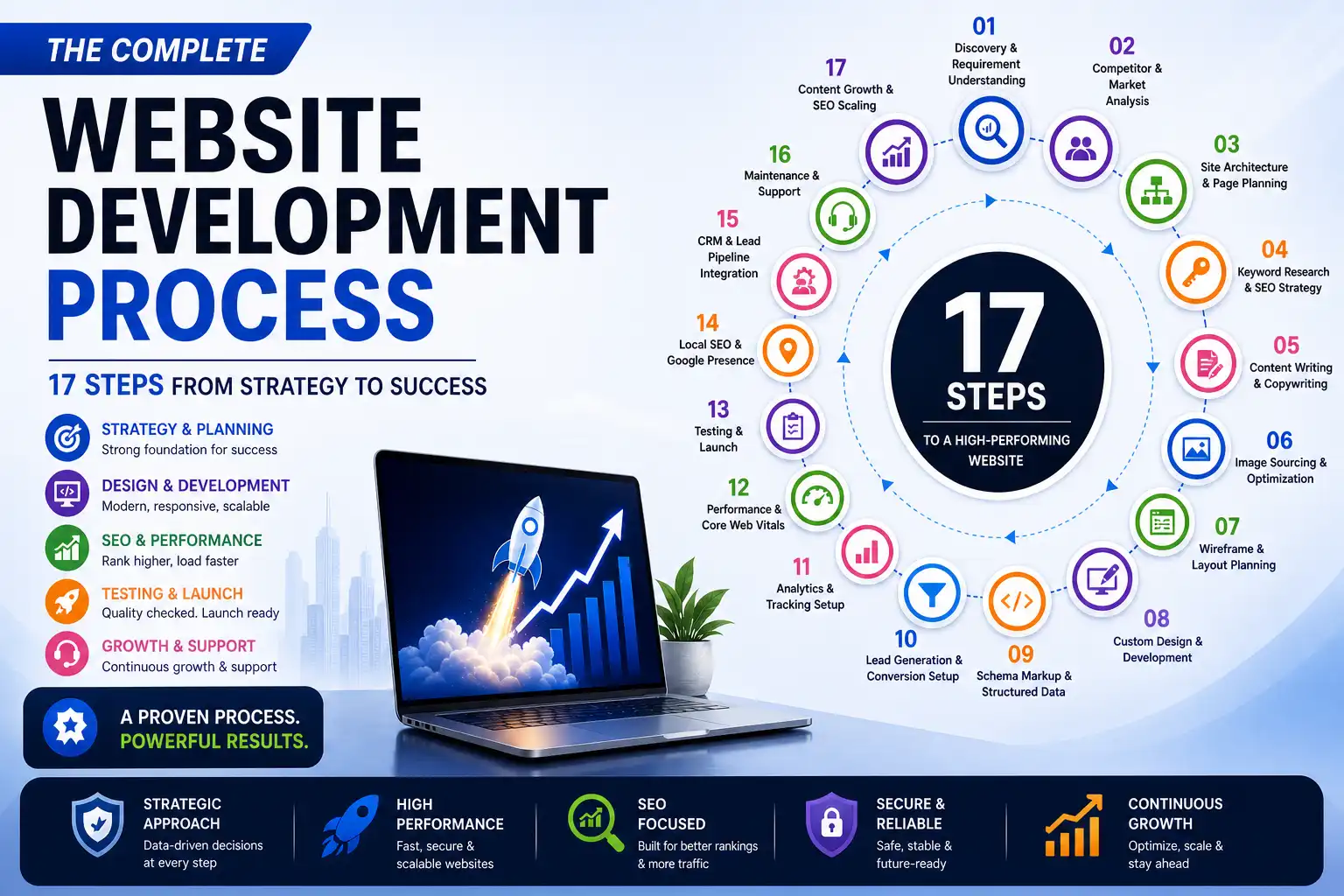
If you’re planning to build a serious website in 2026, you need to move beyond traditional setups.
Modern high-performing websites are built using:
- Next.js (frontend)
- Headless CMS like WordPress (backend)
This combination gives you:
- Better SEO rankings
- Faster load times
- Scalable architecture
- Long-term flexibility
In this guide, we’ll walk through the exact 17-step process used to build corporate-level websites that perform like global brands.
01. Discovery & Requirement Understanding
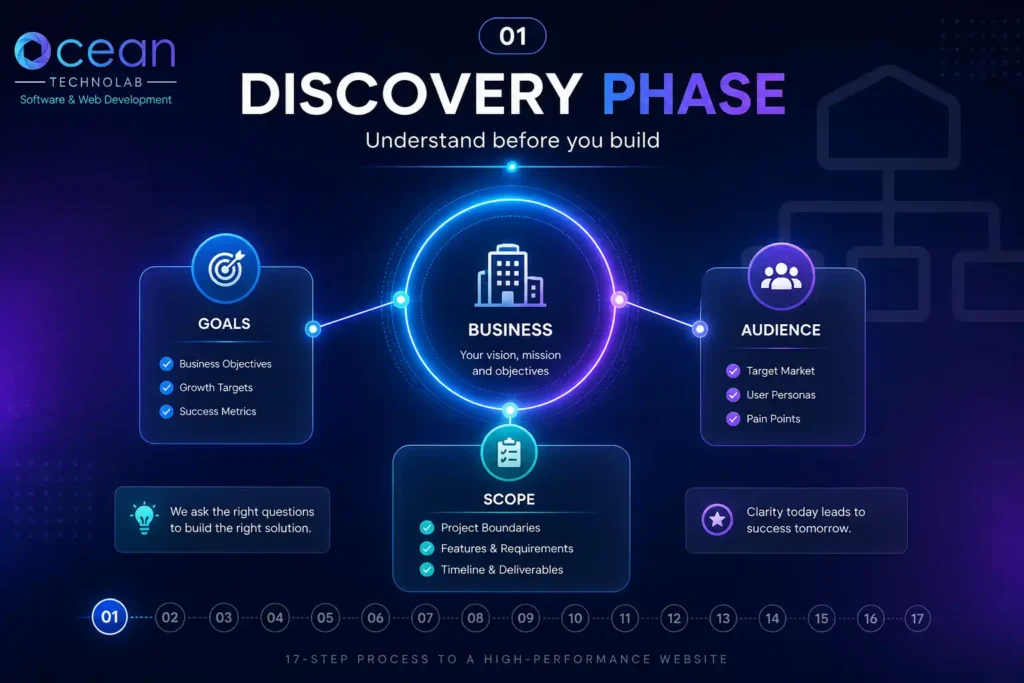
Before building anything, you need clarity.
Define:
- Business goals
- Target audience
- Services and positioning
For example, if you’re targeting UK firms, your messaging should reflect:
- Compliance
- Accuracy
- Reliability
As seen in real outsourcing firms, the focus is on helping businesses scale while maintaining quality
👉 Without discovery, everything else becomes guesswork.
02. Competitor & Market Analysis
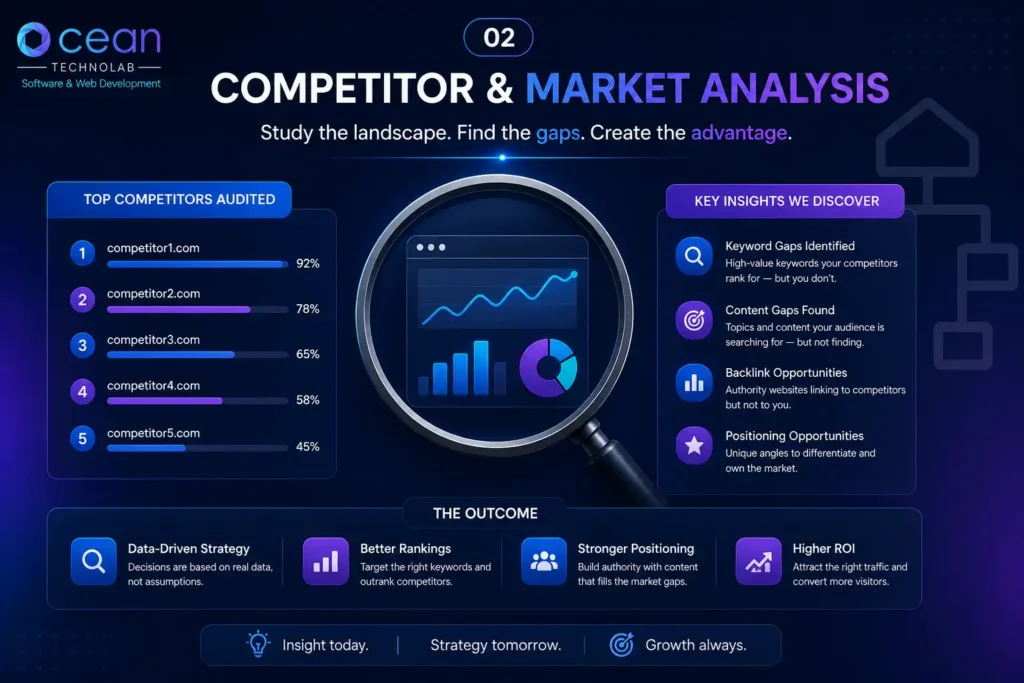
Study top competitors and identify:
- What they rank for
- What they are missing
- Where you can outperform
Look at:
- Their service pages
- Blog strategy
- Keyword targeting
👉 You don’t need to beat everyone — just out-position them .
03. Site Architecture & Page Planning
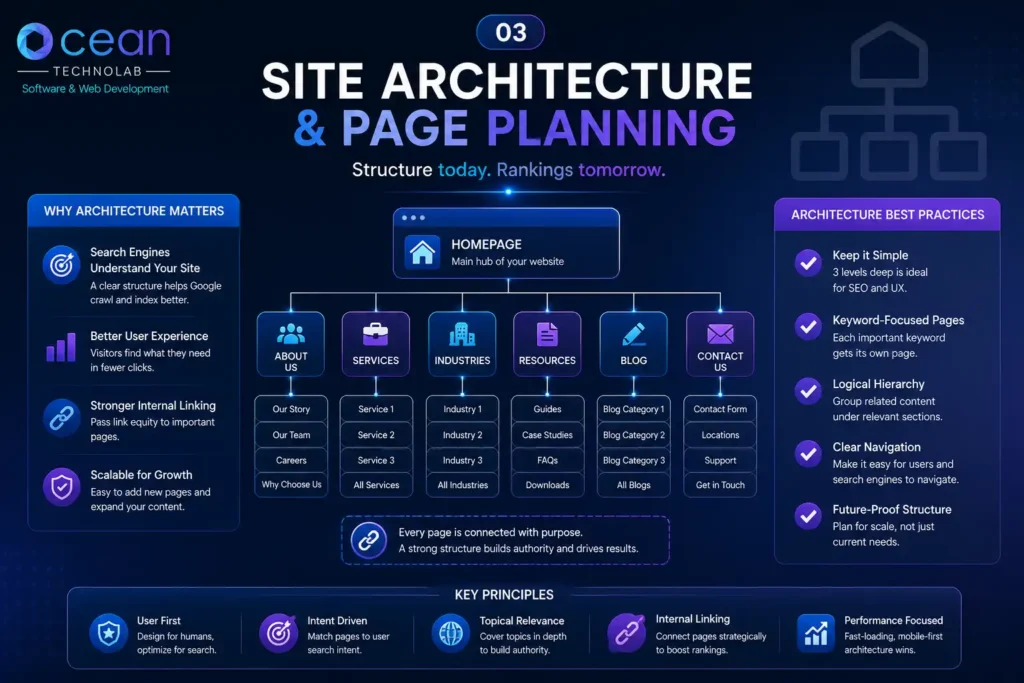
A strong structure drives SEO.
Example structure:
- Homepage
- Services
- Industry pages
- Blog
- Conversion pages
Break services into dedicated pages like:
- Bookkeeping
- VAT Returns
- Payroll
- Tax filings
This aligns with real service structures used in accounting firms
👉 Rule: One page = one intent
04. Keyword Research & SEO Strategy
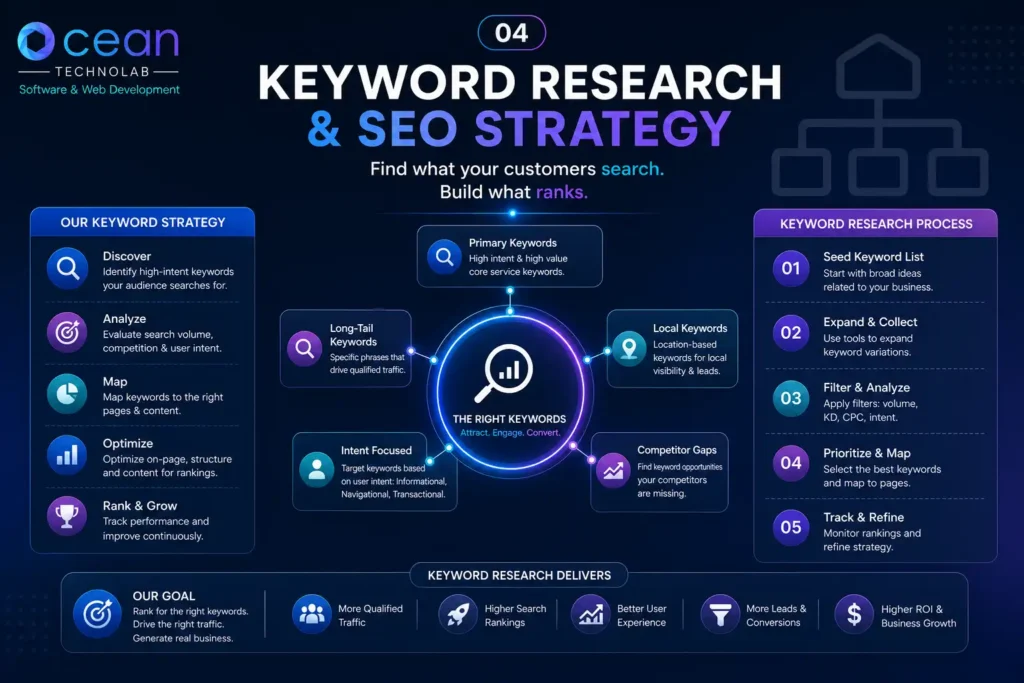
Focus on:
- High-intent keywords
- Service-specific keywords
- Location-based keywords
Examples:
- bookkeeping outsourcing UK
- VAT return services UK
- payroll outsourcing UK
👉 Intent matters more than volume.
05. Content Writing & Copywriting
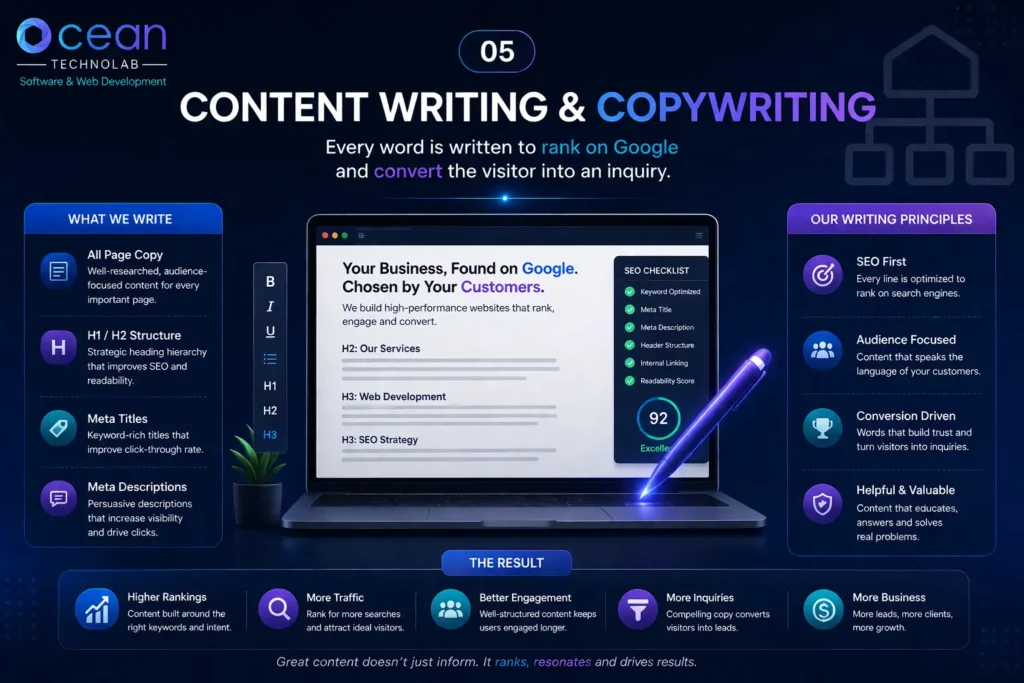
Your content should:
- Rank on Google
- Build trust
- Convert visitors
Structure:
- H1 → main keyword
- H2 → supporting topics
- CTA → every section
👉 Content is your sales engine , not just text.
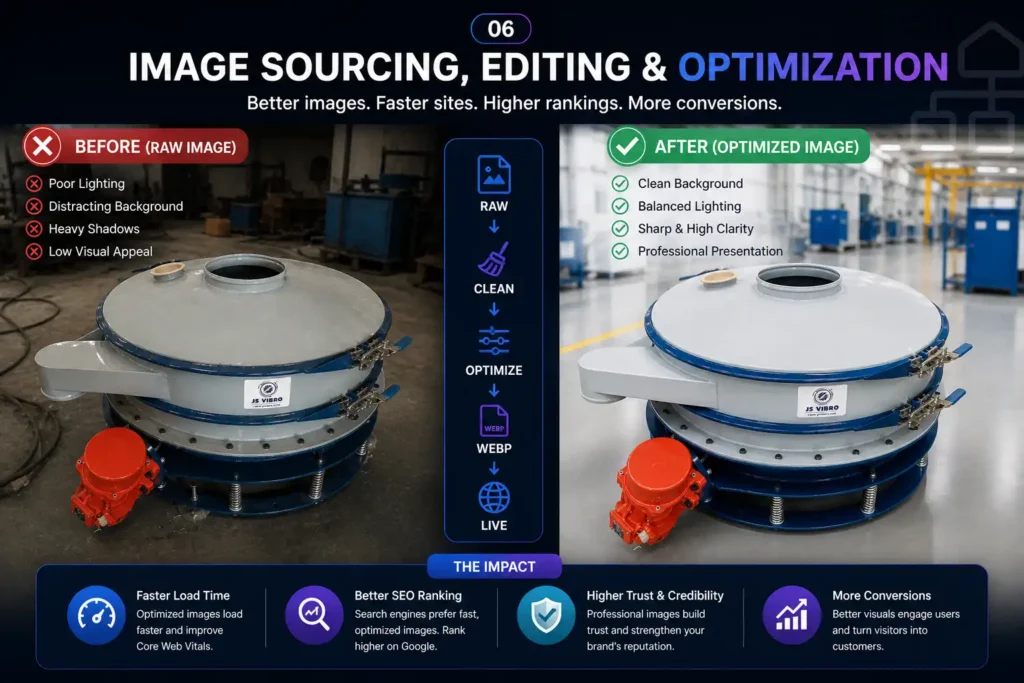
06. Image Sourcing, Editing & Optimization
]
This is where most sites fail.
Follow this:
- Use WebP or AVIF only
- Compress images
- Add ALT tags
- Maintain consistent style
👉 Never upload raw PNG/JPEG files.
07. Wireframe & Layout Planning
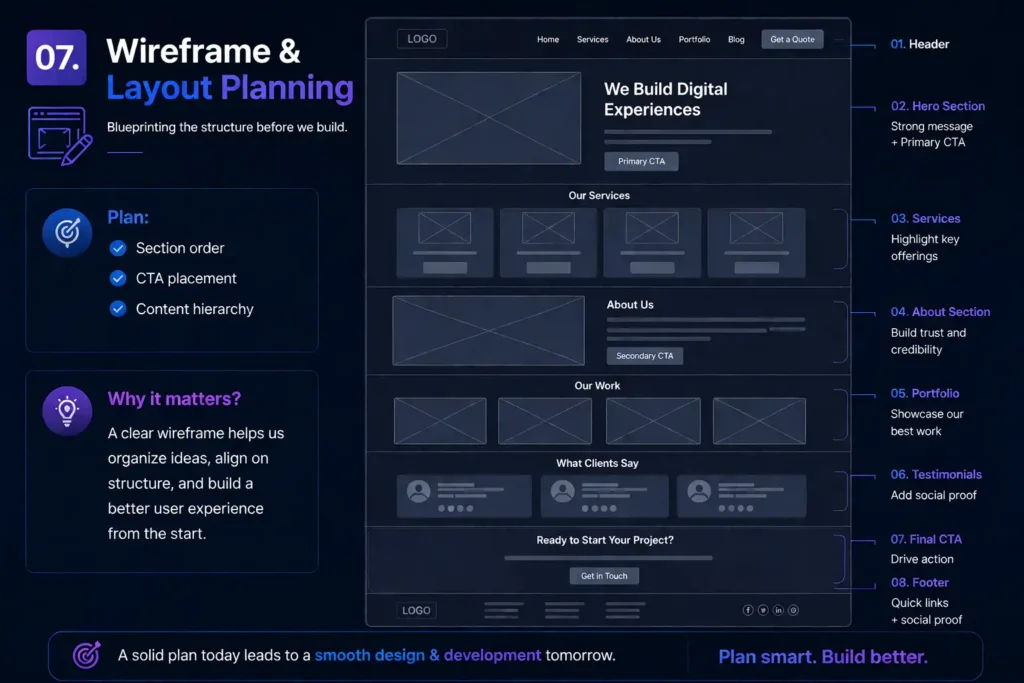
Plan:
- Section order
- CTA placement
- Content hierarchy
👉 This avoids redesign and saves time.
08. Custom Design & Development (Next.js)
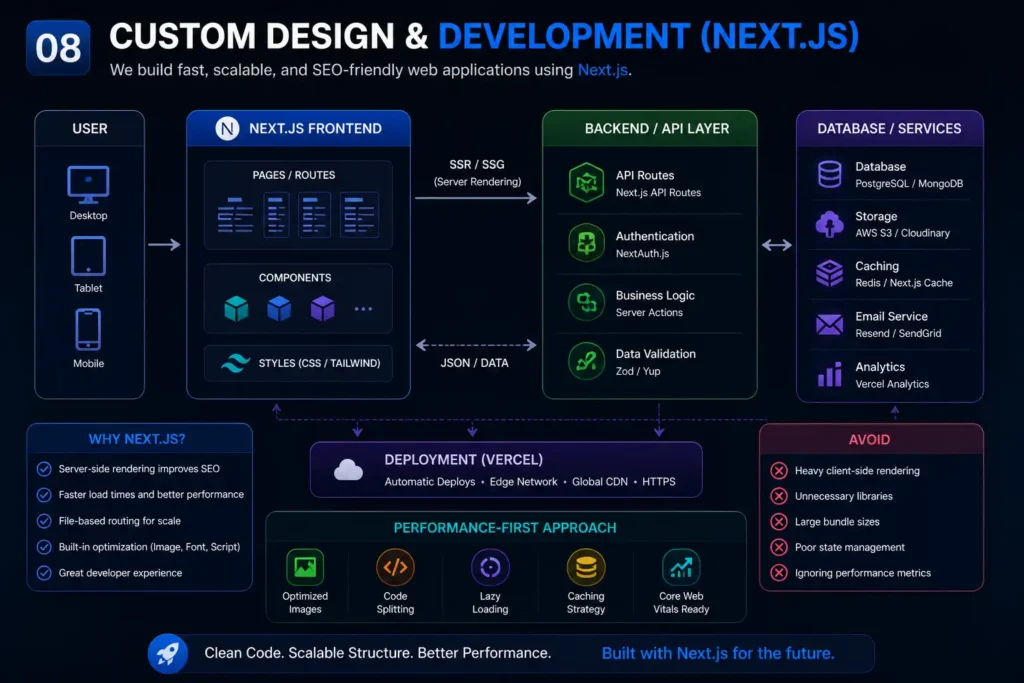
Use Next.js because:
- Server-side rendering improves SEO
- Faster load times
- Scalable structure
Avoid:
- Heavy client-side rendering
- Unnecessary libraries
👉 Build clean, performance-first.
09. Schema Markup & Structured Data
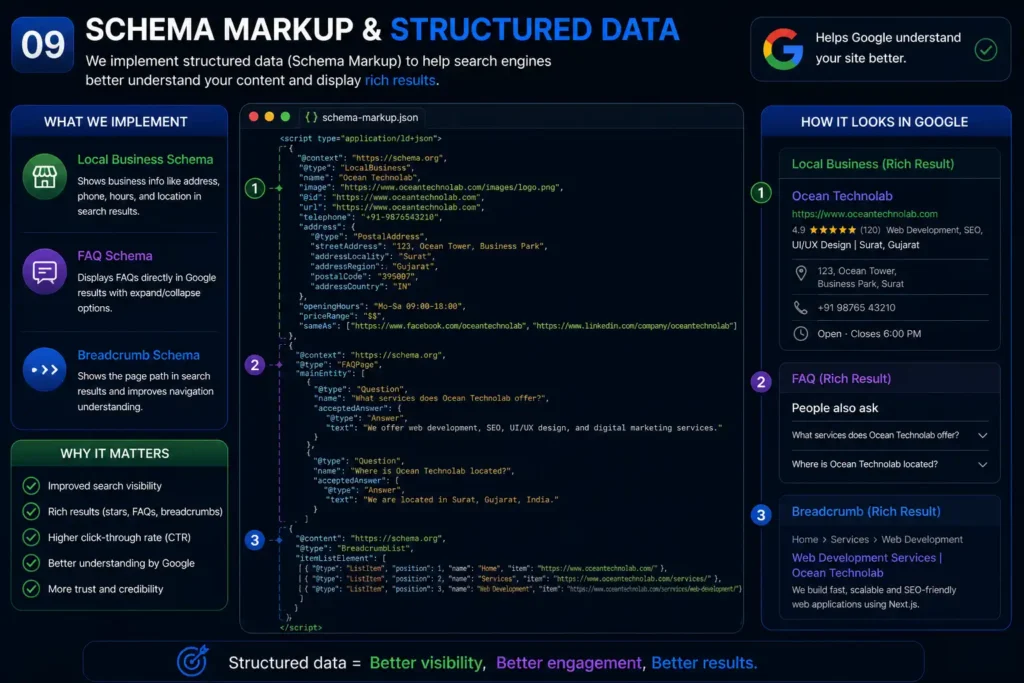
Add:
- Local Business schema
- FAQ schema
- Breadcrumb schema
👉 Helps Google understand your site better.
10. Lead Generation & Conversion Setup
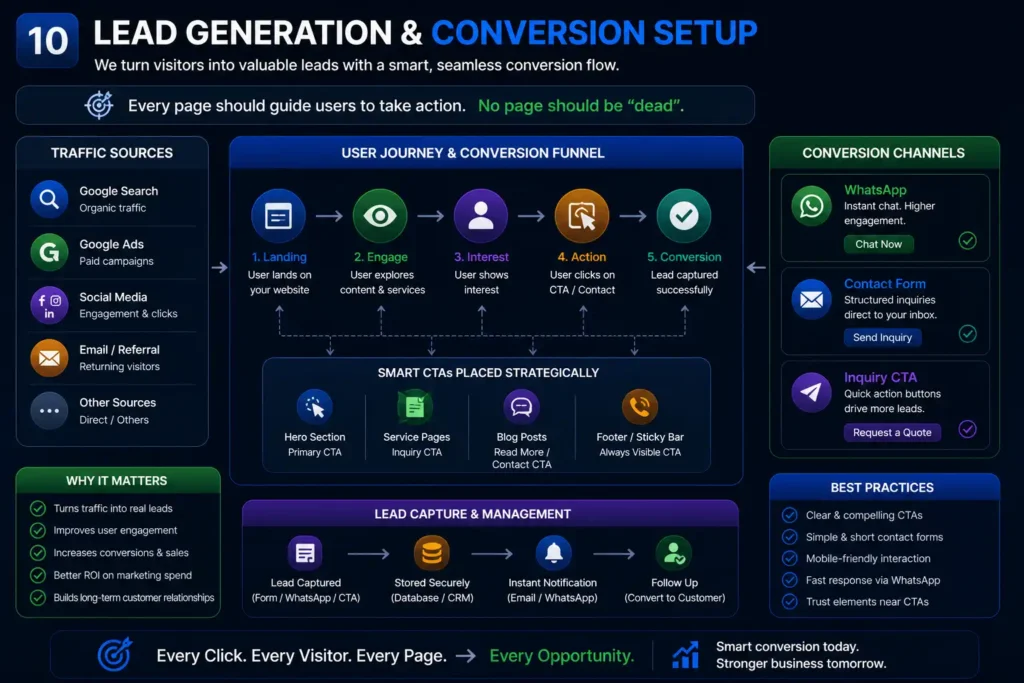
Every page should guide users to:
- Contact form
- Inquiry CTA
👉 No page should be “dead”.
11. Analytics & Tracking Setup
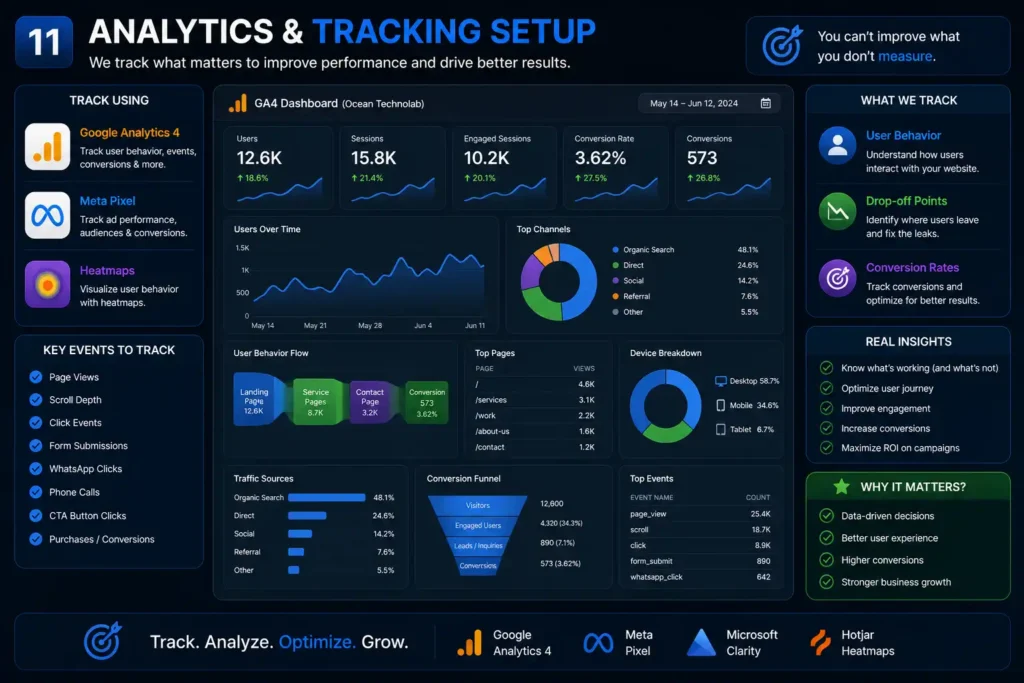
Track:
- User behavior
- Drop-off points
- Conversion rates
Use:
- GA4
- Meta Pixel
- Heatmaps
12. Performance & Core Web Vitals
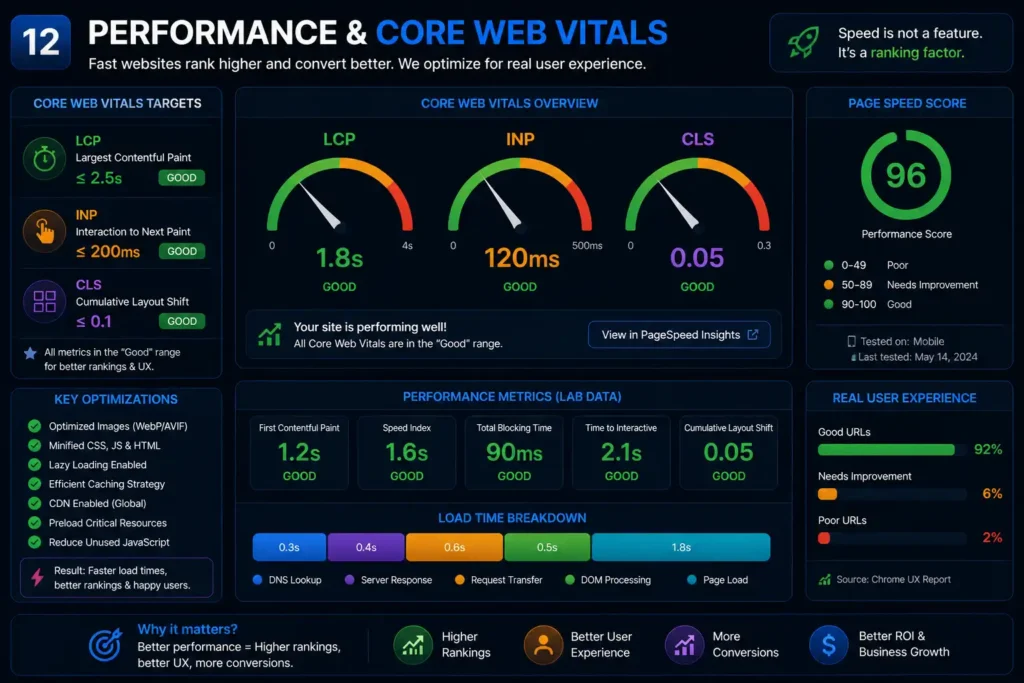
Targets:
- LCP
13. Testing & Launch
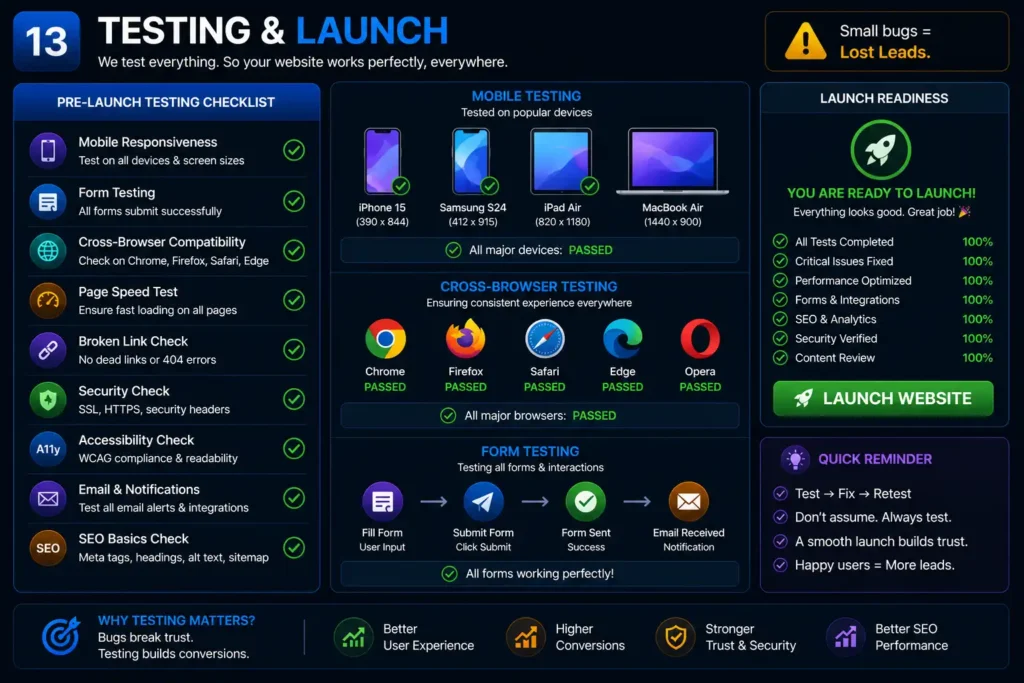
Before launch:
- Mobile testing
- Form testing
- Cross-browser checks
👉 Small bugs = lost leads.
14. Local SEO & Google Presence
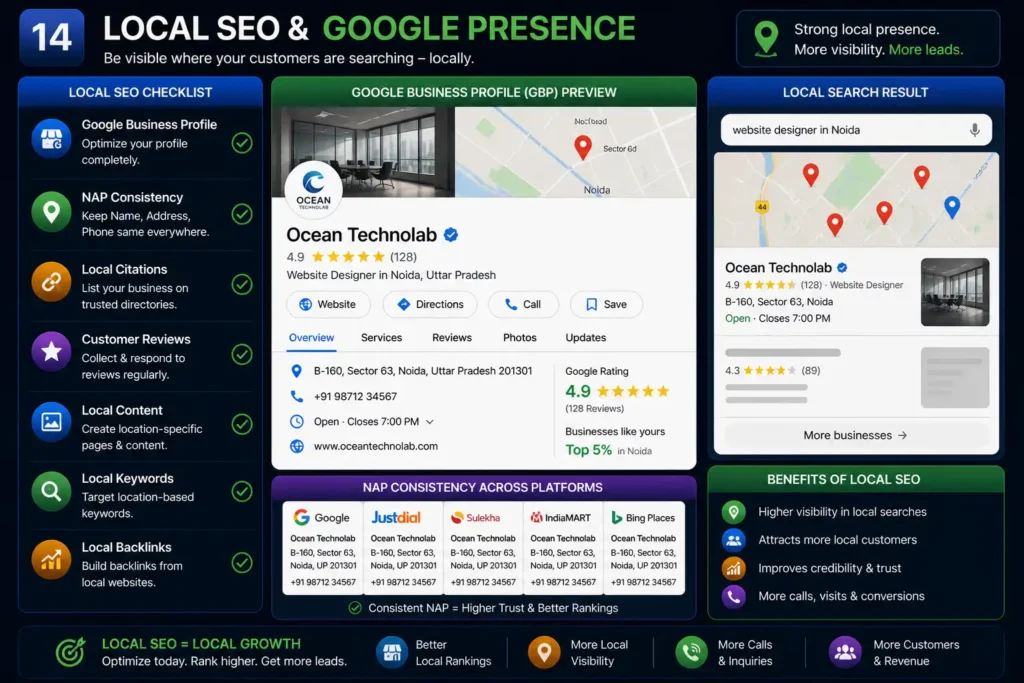
Optimize:
- Google Business profile
- NAP consistency
- Local citations
👉 Important for regional targeting.
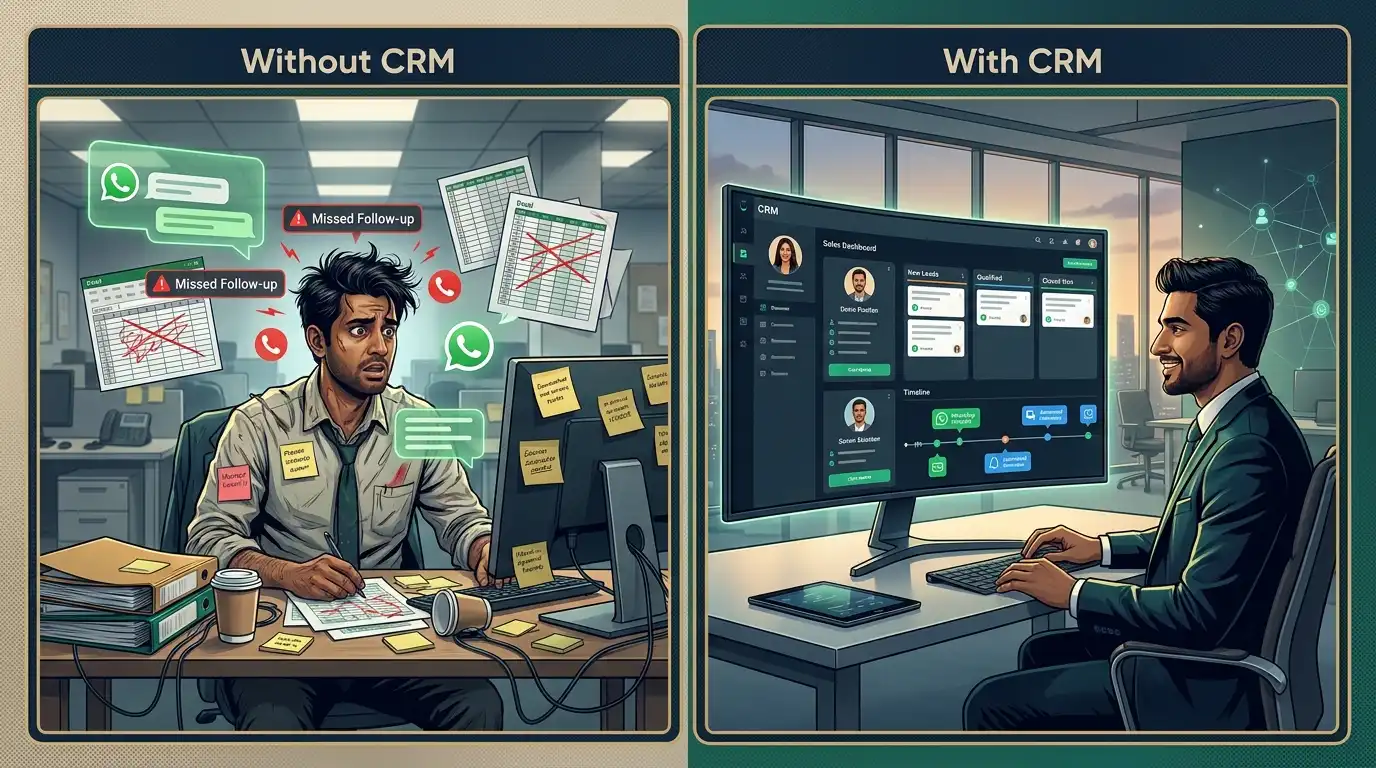
15. CRM & Lead Pipeline Integration
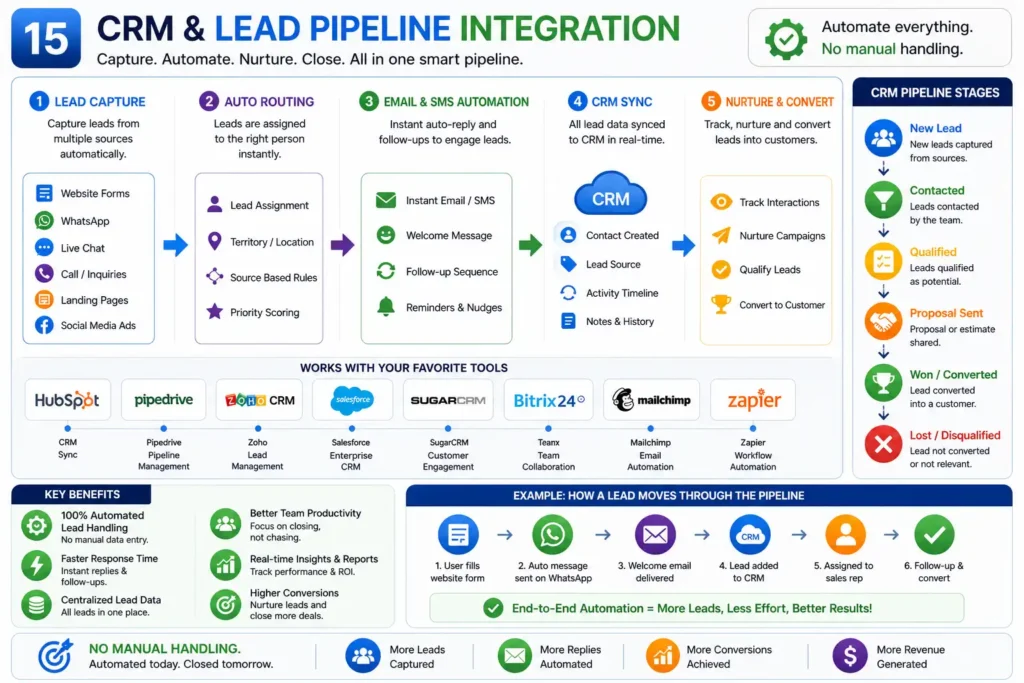
Automate:
- Lead capture
- Email routing
- CRM syncing
👉 No manual handling.
16. Maintenance & Support
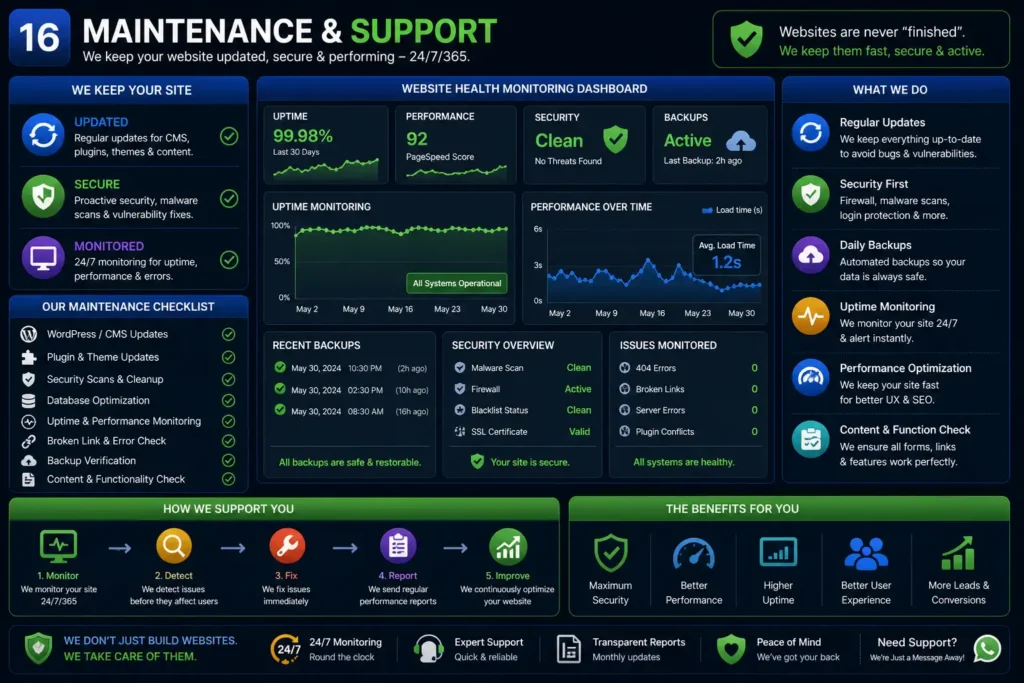
Keep your site:
- Updated
- Secure
- Monitored
👉 Websites are never “finished”.
17. Content Growth & SEO Scaling
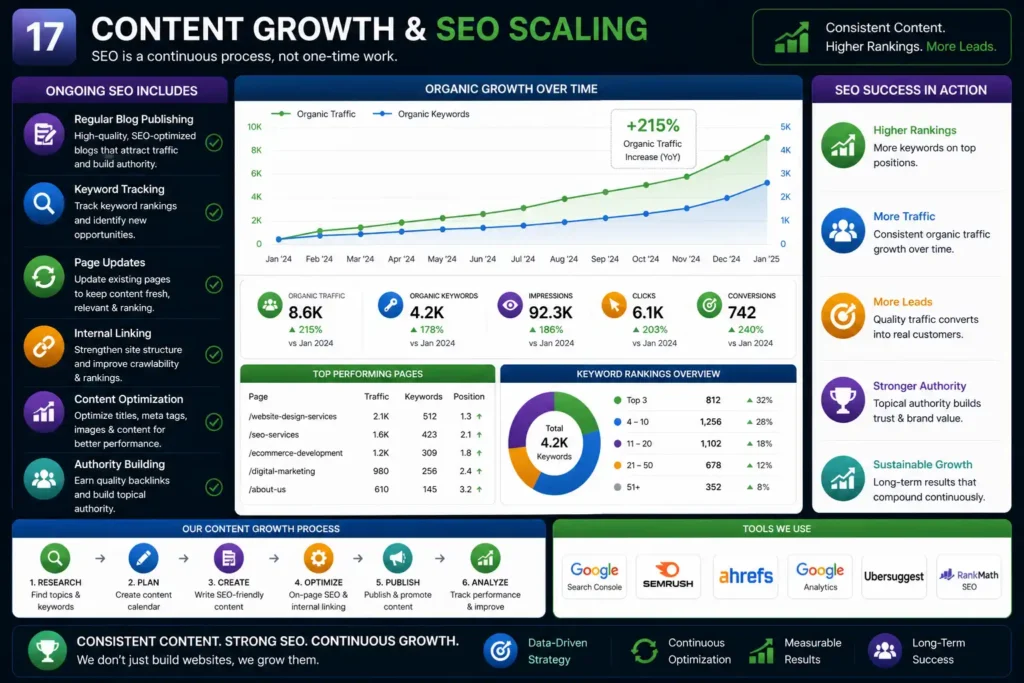
Ongoing SEO includes:
- Regular blog publishing
- Keyword tracking
- Page updates
👉 SEO is a continuous process , not one-time work.
How Headless WordPress Fits Into This
Instead of traditional WordPress:
- WordPress → content management
- Next.js → frontend rendering
This gives:
- Better performance
- Cleaner architecture
- Flexibility
Why This Model Works in 2026
Modern businesses need:
- Speed
- SEO dominance
- Scalability
A structured system like this allows companies to:
- Handle large workloads efficiently
- Scale without increasing overhead
- Maintain consistent quality
Similar outsourcing models already help firms improve efficiency and reduce operational workload
Final Thoughts
A website in 2026 is not just design.
It is:
- A system
- A growth engine
- A lead generation machine
Using Next.js + Headless WordPress , you build:
- Speed
- Authority
- Scalability
👉 Done right, your website becomes your strongest business asset.